
Line VPN
VRMN TechTools
4.78.76K Reviews
- Version
- 3.8
- Installs
- 1.00M
- Age Rating
- Everyone
Screenshots
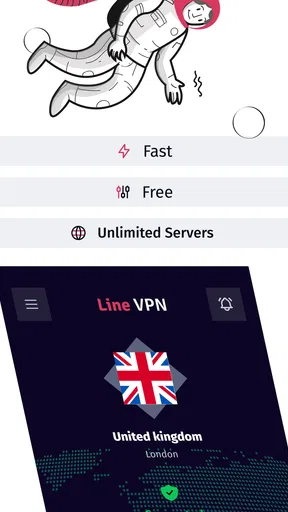

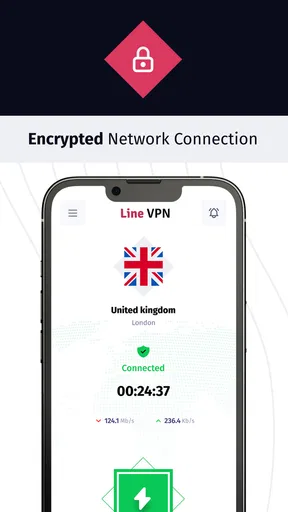
Our Review of Line VPN
 Analysis by Appyee
I tried Line VPN as a lightweight privacy tool rather than treating it like a complete replacement for every networking service. Developed by VRMN Tech, this free Android app sits in the tools category and keeps its public promise simple: a fast and secure way to create a VPN connection. That narrow focus is useful because it makes the app easy to understand, but it also means I judge it by practical control, clarity, and everyday reliability rather than by a long list of extras.
The app has attracted a 4.7 average from around 45 thousand ratings and passed over a million installs, so it is clearly not an obscure experiment. Still, popularity is not the same as proof that a VPN is right for your particular privacy needs. My main question was more basic: can someone use it without confusion, understand what they are choosing, and avoid treating a convenient connection as a guarantee of total anonymity?
How Line VPN feels in ordinary use
My first impression was that Line VPN is aimed at people who want a straightforward tool, not a complicated control panel. The store summary, “Fast & Secure,” sets that expectation, while the short description, “Line VPN,” says very little beyond the product’s purpose. In practice, that simplicity can be a strength when I need a connection quickly, especially on a phone where I do not want to study technical settings before checking email or using a public network.
The app is free and rated for Everyone, which makes it approachable for a broad audience. It supports Android 8.0 and later, and the current version is 3.8. Those details matter more than they may seem: an older phone can still be eligible, but the experience will depend on the device’s own speed, battery condition, and Android background restrictions. I would check compatibility before planning to use it on an older handset as a permanent connection.
A realistic use case is a short work session in a café. I might connect before opening a shared document, check a message, and disconnect when I leave. In that situation, the value is not dramatic invisibility; it is adding a privacy layer while I use a network I do not control. I would still use HTTPS, avoid entering sensitive information into unfamiliar pages, and keep the phone updated. A VPN can protect part of the journey, but it cannot make phishing links, unsafe accounts, or careless sharing harmless.
What the simple approach gets right
Line VPN is easier to recommend to a friend who becomes overwhelmed by VPN terminology. A focused tool can reduce the chance that a user changes a setting without understanding it. That is especially helpful for occasional travel, temporary public Wi-Fi use, or a quick privacy check before browsing. I also like the idea of separating the decision to connect from unrelated features that many larger VPN products place around it.
There is a trade-off, though. A simple interface can hide important decisions if it does not explain them clearly. Before I would leave it running all day, I would look carefully at the connection screen and any Android permission prompt, read the app’s visible privacy information, and check whether the choices match my expectations. Convenience should make a VPN easier to inspect, not easier to use blindly.
That is where Line VPN needs to be evaluated differently from a browser privacy extension or a password manager. A browser tool usually focuses on web activity inside one application. A VPN connection can affect traffic from more of the device, so the user should pay attention to Android’s system-level notices and connection status. If I only want tracker blocking or safer passwords, Line VPN is not a substitute for those tools.
Trust begins with what the app lets me verify
For a privacy app, I do not rely on a fast connection claim alone. I want to know what the app visibly tells me about its choices, what permissions Android requests, whether an account is required, and how easily I can stop using it. The developer is identified as VRMN Tech, and the app is available as a free tool, but those facts by themselves do not answer every trust question. I would inspect the in-app screens and the Android permission manager rather than assume that a VPN automatically handles every privacy concern.
One practical habit is to install it, review the first-run prompts, and pause before accepting anything that is not necessary for the connection. Android’s VPN confirmation is important because it tells me the operating system is asking for permission to establish a VPN connection. I would read that notice instead of tapping through it automatically. If the app presents optional notifications or other choices, I would decide whether I actually need them and revisit them later in system settings.
I would also check whether Line VPN offers a clear way to disconnect and whether Android shows the VPN indicator when it is active. That small visual check prevents a common misunderstanding: believing the connection is active when it has already ended, or believing it is off when it is still running. For a tool like this, visible state is part of trust. A user should not have to guess.
The app’s large user base and strong average rating make it easier to consider, but reviews are not a replacement for reading privacy controls. People may rate an app because it connects quickly or looks simple, while my own priorities may be different. I would pay attention to recent user comments about connection stability, battery behavior, and unexpected prompts, then compare those observations with what I see on my own phone.
Controls I would check before regular use
My recommended setup is deliberately cautious. First, I would confirm that the app is the genuine Line VPN published by VRMN Tech. Next, I would note the Android version, review the VPN permission prompt, and look for any account or sign-in requirement before entering personal information. If an account is optional, I would prefer not to create one for occasional use unless doing so unlocks a control I genuinely need.
After connecting, I would test the exact situation I care about rather than assuming every app behaves the same way. For example, I might open a normal website, use a service I already trust, then disconnect and confirm that the Android VPN indicator changes. I would not use a random “IP checker” as proof of complete anonymity; at most, it can help me see whether the network route changed. The more important test is whether the app’s state is clear and whether normal apps continue working as expected.
There is also a useful battery trade-off. Keeping any VPN connection active can add background work, and the effect will vary with the phone and network. For short sessions, I would connect only when needed. If I chose to leave Line VPN enabled throughout the day, I would watch battery use and notice whether messaging, streaming, or other apps behave differently. A small amount of friction is preferable to discovering later that an always-on setup is reducing battery life or interrupting a service.
I would avoid changing several settings at once. If a website or app stops working, disconnect first, identify whether the VPN is involved, and then decide whether the service is worth using in that situation. This is a more reliable workflow than repeatedly reinstalling the app or granting extra access without understanding the reason.
Privacy-sensitive moments deserve extra care
Line VPN may be useful on hotel, airport, library, or café Wi-Fi, but I would not treat it as permission to ignore basic security. I still need unique passwords, multi-factor authentication where available, and caution around links. A VPN can help conceal traffic from some local network observers, yet the websites and apps I use may still identify me through my account, cookies, device signals, or their own records.
For banking, I would use the bank’s official app or a carefully checked website and verify that the connection is stable before starting. If the bank blocks VPN traffic, I would rather disconnect and use the service normally than search for a workaround that creates more risk. The same applies to work systems: an employer may have its own approved VPN, and Line VPN should not be assumed to replace it. In that case, the organization’s tool and rules take priority.
Streaming and location-sensitive services are another gray area. A VPN can change how a service sees the network, but that does not guarantee access to a particular catalog or location. Services may restrict VPN connections, and using one can cause sign-in challenges or playback problems. I would choose Line VPN for a privacy need, not because I expect it to defeat every regional restriction.
When I handle sensitive files, I would also remember that the VPN does not protect a compromised phone. Malicious apps, unsafe downloads, screen capture, and a weak device lock remain separate problems. This is one of the most important limits for new users: a VPN protects a network path in certain circumstances, not the entire device and not every part of an online identity.
How it compares with familiar alternatives
Compared with a paid VPN service, Line VPN’s free format is attractive for occasional use and casual users who do not want another subscription. A paid alternative may be a better fit for someone who needs detailed server choices, advanced connection rules, extensive support, or a long-term privacy plan. I would not choose Line VPN solely because it costs nothing if my work depends on predictable international access or carefully documented account controls.
Compared with using public Wi-Fi without any VPN, Line VPN offers a more deliberate privacy step. That does not make the network trusted, but it can be preferable to sending traffic over an unfamiliar connection with no additional layer at all. I would still avoid sensitive tasks when possible and use mobile data if that is the safer practical choice.
Compared with Android’s built-in network settings, the app may be more convenient for someone who wants a dedicated VPN interface rather than manual configuration. The built-in route can be better for technically confident users who already have a trusted VPN provider and want direct control over the configuration. In that comparison, Line VPN’s appeal is ease, while manual setup can offer clearer ownership of the service being used.
Compared with privacy browsers, Line VPN covers a different need. A privacy browser can reduce tracking inside the browser and may include tools that a VPN does not. If my main concern is advertising trackers, I would look at browser privacy controls first. If my concern is using an untrusted network for several phone activities, a VPN tool is more relevant. Neither option replaces the other completely.
Who should use it and who should skip it
I think Line VPN is best for an Android user who wants a free, uncomplicated way to add a VPN connection during occasional public-network sessions. It is also reasonable for someone who understands that “secure” is a limited promise, not a declaration of total anonymity. The Everyone age rating and broad Android compatibility make it accessible, but accessibility should be paired with careful reading of the system prompts.
I would be more hesitant to recommend it as the sole privacy solution for journalists, security researchers, remote workers handling confidential material, or anyone whose safety depends on a highly documented provider and advanced configuration. Those users may need a different option with controls and policies that fit a specific threat model. Likewise, if I need a fixed location, dedicated support, or guaranteed access to a particular service, I would compare specialist alternatives before choosing a free general-purpose app.
I would also skip it for a child who is being given a phone without supervision simply because the age rating is Everyone. A VPN can change how a connection works, and a young user may misunderstand what it protects. The app itself may be easy to operate, but safe internet use still depends on guidance, account settings, and device supervision.
A practical routine that avoids common mistakes
My everyday routine would be simple: connect before joining an unfamiliar network, confirm the Android VPN indicator, use normal account and browsing precautions, and disconnect when the session is over if I do not need continuous coverage. I would review the app’s visible settings after installation rather than months later, and I would check the current version in the store when Android offers an update.
If a connection is slow, I would first test whether the underlying Wi-Fi is the problem. I would then disconnect and reconnect once, rather than repeatedly changing settings. If a particular app fails only while the VPN is active, I would decide whether that app or the VPN matters more for the task. This approach keeps troubleshooting controlled and prevents me from granting unnecessary permissions in search of a quick fix.
I would never enter payment details into a page reached through an unexpected link just because Line VPN is enabled. I would also avoid installing a second VPN at the same time, since competing network tools can create confusing behavior. Keeping one connection method active makes the status easier to understand and makes it clearer which tool is responsible when something goes wrong.
My cautious verdict
After using Line VPN as a practical Android tool, I see its strongest point in its low barrier to entry. It is free, focused, and suitable for people who want a quick VPN connection without turning privacy into a technical project. Its 4.7 average and more than a million installs suggest that many users find the basic experience useful, but I would still make my decision based on visible controls and my own needs rather than popularity alone.
The limitations are just as important. A simple VPN app cannot replace secure accounts, careful browsing, a trusted work connection, or a complete privacy strategy. I would also avoid assuming that a free tool offers the same depth of configuration or accountability as a specialist paid service. My trust would come from checking the Android permission prompt, understanding the connection state, reviewing the app’s choices, and using it only for situations where its protection is relevant.
My recommendation is cautious but positive: Line VPN is worth trying for occasional Android privacy on unfamiliar networks, especially if you value a straightforward interface and do not need advanced controls. I would keep the connection purposeful, verify what is happening on the device, and choose a more specialized alternative when my work, location needs, or threat level demands stronger documented control.
Verdict
Strengths of Line VPN
- Simple setup with no technical configuration required.
- Works across Android and iOS devices with a familiar interface.
- Useful for securing connections on public Wi‑Fi networks.
- Can help access services when local network restrictions apply.
- Subscription options may be convenient for frequent travelers.
Limitations of Line VPN
- VPN performance can vary depending on server location and network load.
- Free access, if available, may include limits or promotional interruptions.
- Some streaming platforms may detect and block its VPN connections.
- A VPN cannot fully protect you from phishing or unsafe websites.
- Battery usage may increase slightly while the VPN remains connected.
Other Releases by VRMN Tech
View All
Tera VPN
Tools4.6
Similar Picks in This Category
View All
Google LLC4.0

Gboard - the Google Keyboard
Google LLC4.5

Google Play services
Google LLC4.3

Google Play Store
Google LLC4.9

Files by Google
Google LLC4.5

SHAREit: Transfer, Share Files
Smart Media4U Technology Pte.Ltd.4.3
Frequently Asked Questions
What is Line VPN, and how does it work?
Line VPN is designed to create a more private connection between your device and the internet by routing traffic through a VPN server. After installing the app, you generally choose a server or allow the application to select one automatically, then activate the connection with a single tap. The VPN can help protect data on public Wi-Fi and may mask your IP address, although it cannot guarantee complete anonymity or security against every online threat.
Is Line VPN free to use, or does it require a subscription?
Line VPN may offer a free access option, but availability, server choices, connection limits, advertisements, and premium features can depend on the current version of the application. Before downloading or subscribing, check the official Google Play Store or App Store listing for the latest pricing and trial information. Users should also review renewal terms carefully, since subscriptions can automatically renew unless canceled through the relevant store account.
Can Line VPN unblock streaming services, websites, or restricted content?
Line VPN may allow access to some websites or services that are unavailable on a local network by connecting through a server in another location. However, successful access is not guaranteed because streaming platforms and other websites frequently detect and block VPN traffic. Performance can also vary by server, distance, and network congestion. Always consider the terms of service of the platform you are trying to access and local regulations.
Does Line VPN slow down the internet or affect battery life?
Using Line VPN can reduce connection speed slightly because your traffic is encrypted and routed through an additional server. In testing, the impact typically depends on the selected location, the quality of your mobile or Wi-Fi connection, and how busy the VPN server is. Keeping a VPN connection active may also use somewhat more battery and mobile data. Switching to a closer server or disconnecting when unnecessary can help.
Is Line VPN safe, and what privacy permissions should I check?
A VPN can improve privacy on unsecured networks, but choosing a provider still requires caution. Before installing Line VPN, review its developer information, privacy policy, requested permissions, data-collection disclosures, and recent user reviews. A trustworthy VPN should clearly explain what information it stores and why. Remember that the VPN provider may be able to see connection-related data, so avoid assuming that VPN use provides total privacy or protection from malware, phishing, or unsafe downloads.
